Sequence the restarts
Stagger the start-up of certain equipment rather than restarting everything at once.
03 · ADAPT
Adapt lighting, climate and blinds to the building’s actual use. Coordinated actions, based on the data available.
Explore the solutions ↓
FROM DATA TO ACTION
Metering makes consumption visible. Optimization consists of adjusting how the equipment runs: schedules, lighting levels, setpoints, solar shading and occupancy sequences.
Each scenario is defined according to the uses, the site’s constraints and what the equipment can do. The settings illustrated in the demo are indicative and must be adapted to the building.
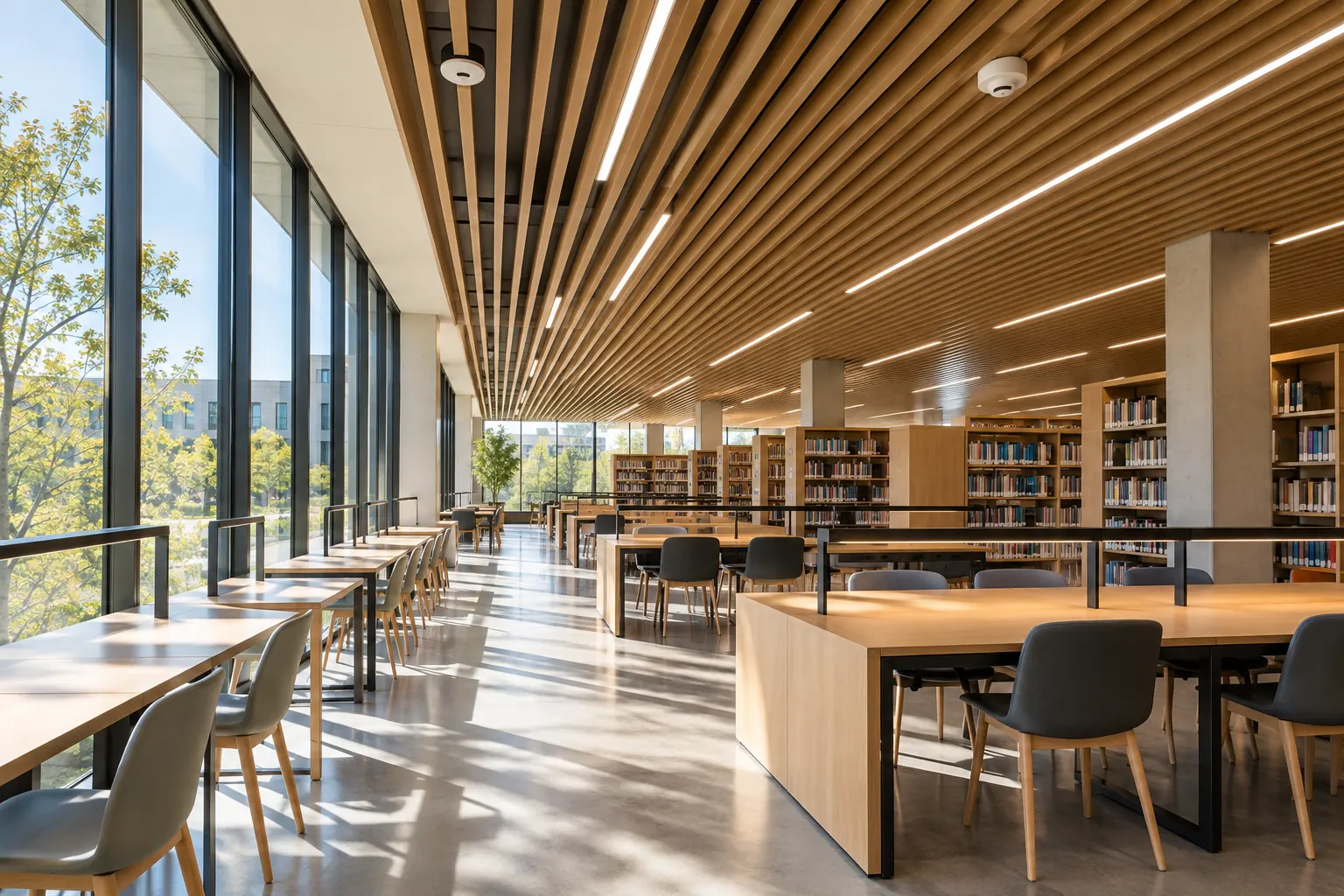
01USEFUL LIGHT
Luminaires follow actual occupancy and daylight, while keeping the illuminance level planned for each activity.
Use case Near the windows, artificial light decreases when daylight is sufficient. Interior zones remain controlled by their own measurement.
See the lighting solution ↗︎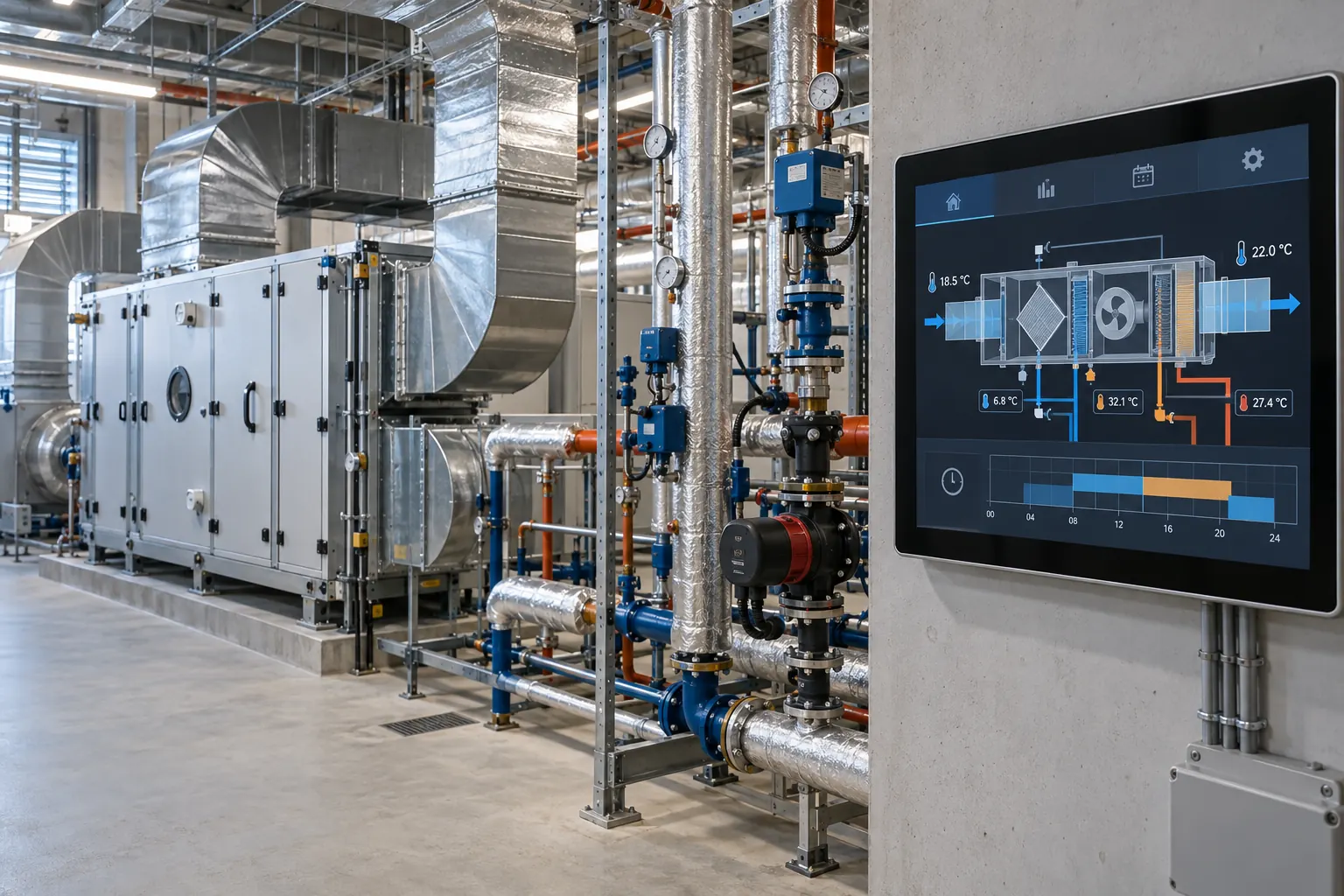
02COMFORT AT THE RIGHT PACE
Equipment operation follows schedules and occupancy, with a validated setpoint for each zone.
Use case An unoccupied zone switches to a reduced setpoint; air renewal and frost protection remain ensured.
See the HVAC solution ↗︎
03COORDINATE RATHER THAN ISOLATE
Solar shading, lighting and air conditioning work together rather than against each other.
Use case In summer, blinds limit solar gains and the air conditioning works less; artificial light adds only what is needed.
Discuss this need ↗︎CONCRETE SCENARIOS
Time delays, setpoints and overrides are defined with the operator; each zone keeps its own rules.
| Situation | Lighting | Climate and ventilation | Blinds and controls |
|---|---|---|---|
| Before opening | Only the necessary zones switch on. | Early restart according to the building’s thermal inertia. | Starting position according to the season. |
| Occupancy | Dimming according to presence and daylight. | Comfort setpoints; ventilation according to occupancy. | Glare protection. |
| Temporary absence | Reduction then switch-off after a time delay. | Reduced mode according to the length of absence. | Return to the planned scenario. |
| Closing | Unnecessary circuits switched off. | Unoccupied mode; essential functions maintained. | Closing position. |
A meeting room, an office, a corridor and a plant room do not necessarily follow the same rules.
CONTROL POWER DEMAND
Sequencing restarts and shedding certain loads avoids power peaks and exceeding the contracted power.
Discuss load management ↗︎Stagger the start-up of certain equipment rather than restarting everything at once.
Define the uses that can be reduced or deferred, the acceptable duration and the conditions for return.
Exclude critical functions and respect the protections and operating constraints of the equipment.
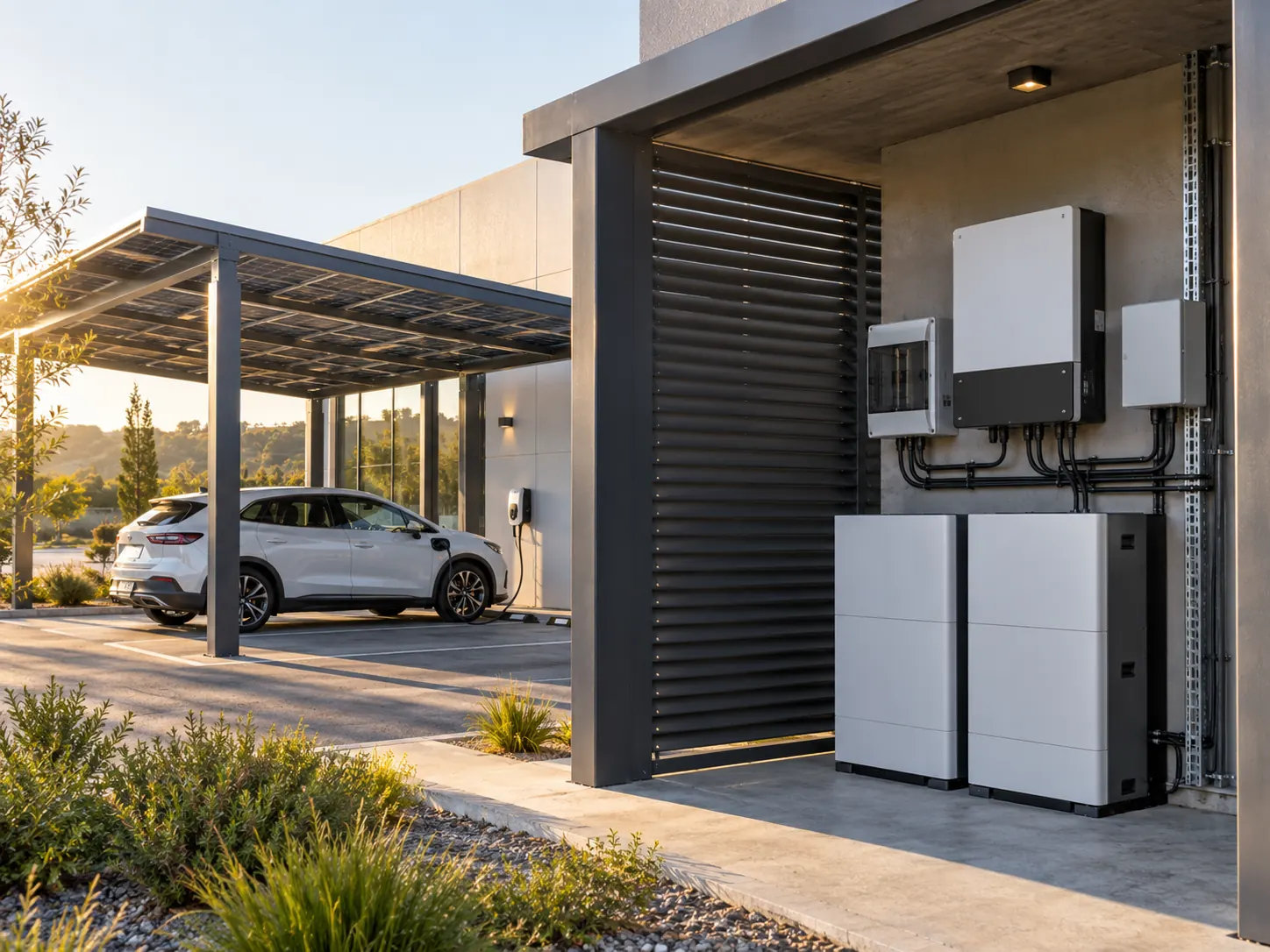
06COORDINATE PRODUCTION AND USES
Energy management directs solar production toward the uses that can wait: charging, hot water, pumping or battery.
Use case A non-urgent charging session starts when the solar surplus allows it, then slows down if priority consumption increases.
The protections of the inverter, the battery and the equipment take priority over any strategy.
Understand production and exchange measurements ↗︎FROM AVAILABLE PRODUCTION TO AUTHORIZED COMMAND
Permanent functions, comfort, water and agricultural needs: what is never deferred.
Time windows, minimum power, maximum deferral time and overrides, for each load.
Grid exchanges, production, consumption and battery tracked; fallback mode if a measurement is missing.
Self-consumption and self-sufficiency are two different objectives: the scope and assumptions are set before any figures are estimated.
STORAGE · STRATEGIES TO VALIDATE
Storage is coordinated with priority needs, within the limits set by the manufacturer.
Reserve, operating ranges and priorities between direct consumption, flexible loads and storage.
Charge and discharge power, minimum state of charge and temperatures: the battery management system and the inverter have the final say.
Setpoints and status feedback logged, losses taken into account, fallback mode if communication is lost.
No self-sufficiency, savings or service life is guaranteed by the control strategy alone.
See battery measurements and statuses ↗︎ELECTRIC VEHICLE CHARGING
Communicating charging stations are coordinated with the site’s needs, departure times and solar production.
Vehicles, time on site, energy to charge and departure time; service vehicles come first.
Charging power is shared or limited according to the installation’s capacity and the solar surplus.
If the meter or the communication is missing, the stations switch to a safe power level. Electrical protections defined with the installer.
Feasibility, power, protocol (OCPP or Modbus) and access rights are scoped during the study.
SENSORS, COMMANDS AND STATUS FEEDBACK
Each rule links reliable information to an action the equipment can actually carry out.
Detectors and light sensors to control the lighting zones. Location, coverage and time delays are checked.
To checkNo disruptive switch-offs, and illuminance suited to the activities.
Temperature sensors, window contacts and occupancy information, according to the regulation rules selected.
To checkConsistency of measurements, reaction to overrides and return to normal operation.
Dimmers, lighting interfaces, blind controls, valves and compatible HVAC controllers.
To checkControl ranges, status feedback and behavior if communication is lost.
Measurement points and history to relate consumption to schedules and operating events.
To checkUnits, timestamps, data quality and the actual scope of each meter.
INTEGRATION SUITED TO THE EXISTING INSTALLATION
Room controls, sensors and scenes.
Control of each luminaire and feedback of its faults.
HVAC, plant, meters and controllers.
VRV / VRF, inverters, charging stations and online services.
Compatibility, accessible points and control possibilities are checked during the study. The equipment’s own protections and safety functions are preserved.
12 / VERIFY OVER TIME
Each setting is compared before and after, with comparable occupancy and weather.
Measuring does not promise savings: it shows the actual effect and prepares the next adjustment.
See energy metering and monitoring ↗︎EFFECTS TO ASSESS
Indicators are chosen before the settings and tracked over comparable periods, taking weather, occupancy and changes of use into account.
Compare zones and uses over a clearly defined scope and period.
Observe peaks, start-ups and the level of operation outside occupancy.
Compare the available temperatures and illuminance with the setpoints and occupant feedback.
Spot equipment running outside useful hours and persistent overrides.
Initial state, priority actions, scenario matrix, setpoints and time delays, test program and monitoring indicators. The content of the deliverables and the support are specified in the offer.
Prepare my optimization project ↗︎A STEP-BY-STEP PROJECT
Uses, schedules, discomfort and unnecessary operation recorded on site.
Scenarios, priorities and settings validated with the operator.
Missing sensors, actuators, meters and gateways.
Sequences, schedules and energy management on the equipment concerned.
Each scenario tested on a pilot zone before being extended.
Effects measured, settings refined season after season.
Frequently asked questions
Is your question not listed here? Our team will answer and guide you to the right solution.
commercial@3i-ds.comYes. We start with schedules, setpoints and missing sensors; the equipment in place is kept as long as it can be controlled.
With a pilot zone and the highest-consuming uses: HVAC and lighting. The measured results guide the next steps.
Yes. Each zone keeps its buttons and its adjustment range; the override is timed, then the program resumes.
It depends on the building, its current settings and its uses. We measure the initial state, then the effect of each action, without promising a percentage in advance.
3I-DS designs the solution, supplies the control equipment, programs it, commissions it and tracks the results. Depending on the project, we can also install it and take charge of its wiring; the machines and electrical installations remain the responsibility of the site’s installers.
Yes, with compatible charging stations: charging is modulated according to the available power, solar production or the chosen schedules.
By before-and-after comparison over comparable periods, based on the meters installed. The results are presented in a tracking table shared with the operator.
Yes. Schedules, priorities and thresholds are set by calendar: summer, winter, closure periods or reduced activity.
FROM NEEDS TO SOLUTIONS
Find the operating needs that the Energy optimization solution can address, depending on the project scope.
Rooms, common areas and technical services controlled according to occupancy.
Office floors, meeting rooms and occupancy schedules, with consumption monitoring.
Multi-site branches: schedules, technical alarms and remote supervision.
Villas and residences: comfort, scenes and everyday technical safety.
Greenhouses, irrigation and pumping monitored according to crops and seasons.
Workshops and utilities: metering, alarms and schedules outside process constraints.
Classrooms, lecture halls and campuses: schedules, presence and user comfort.
Functions are defined during the study: equipment, interfaces, control rights and local priorities must be checked. These links do not imply universal compatibility.
SETTINGS ALIGNED WITH YOUR USES